
How to Register To Wisdome
Registering with Wisdome takes only a few steps.
We do have a verification process that will require you to verify your email and then its all simple selecting your plan, providing your details and you're in!
Our demo videos are coming soon. In the meantime, please check out our screenshots below 👇
NOTE: This video does not have AUDIO
The Process:
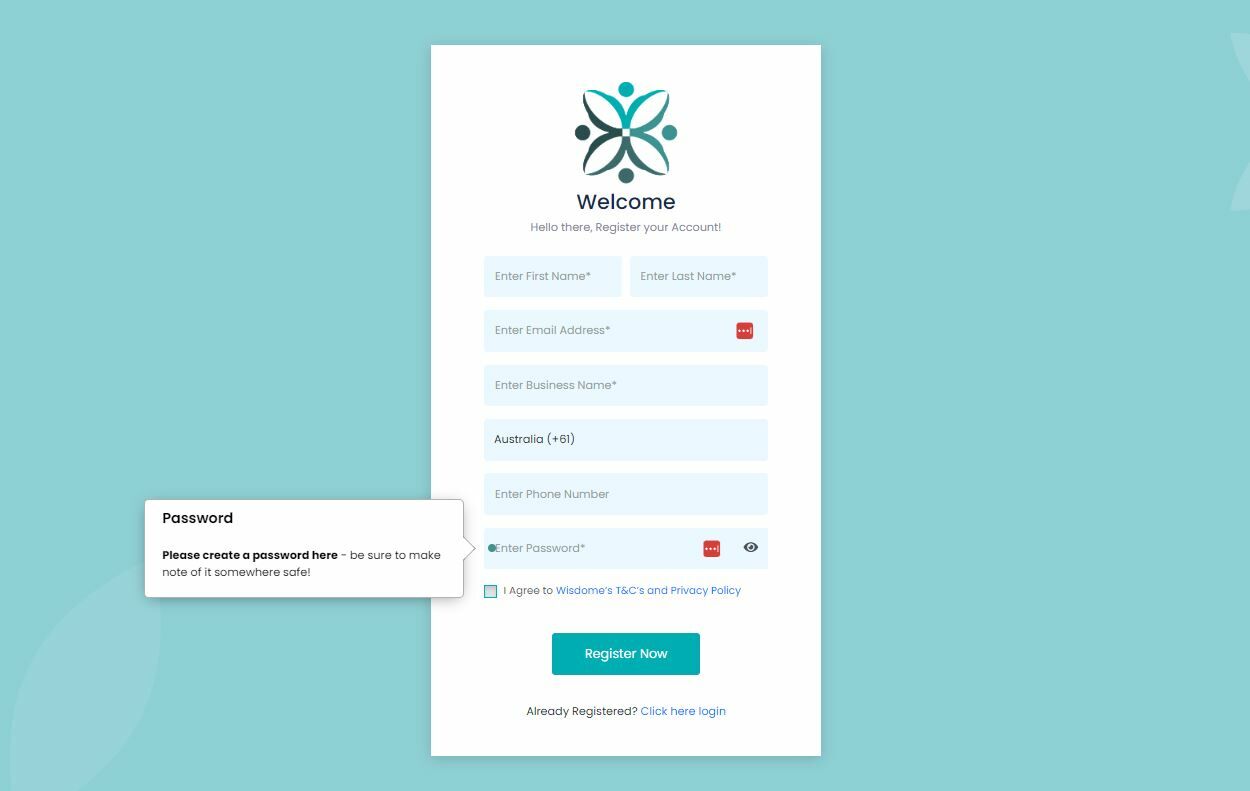
2. Enter the following information:
- Name
- Business name
- Country
- Phone number
- Password (This is where you create your password)
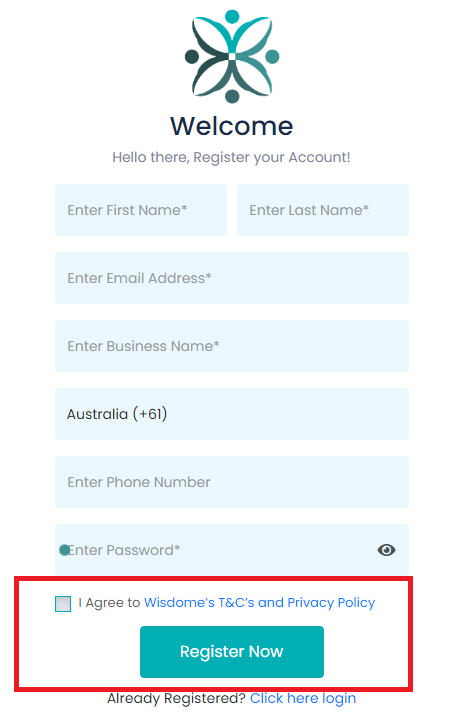
3. Check ' I agree to Wisdome's T&Cs and Privacy Policy and click 'Register Now.'
** At this point will need to go into your email and grab your 4-digit verification pin.
4. Enter your code and then hit "Verify Now."

Next, you’ll see information on:
-
Connecting with your members
-
Types of resources you can upload
-
Ideas to engage your audience
-
Information about your branding
You may skip this presentation, but we recommend reviewing it to understand what you can do on Wisdome.

5. Click on the '3 Step Setup' button. This will direct you to Wisdome's subscription plans.
*Note prices may be different from this image.

6. Choose a plan that fits your needs.

7. Click "Continue."

8. Enter the following details:
-
Name
-
Email
-
Company name
-
Phone number
-
Website
-
Billing address
9. Choose your mode of payment (Stripe, PayPal and Square) and click 'Complete Order'.
10. Enter the required payment information. Once completed, you can start using our services and uploading content.

For assistance:
If you have questions, feel free to contact us at support@wisdome.com.au.
SOP Details:
Title: How to Register To Wisdome
Version: 2
Last Revised Date: 17 June 2024
End of Document